23
Best Free Online Text Conversion Tools
Discover the best free online text conversion tools for changing, formatting, transforming, and processing text quickly without installing software.
Best Free Online Text Conversion Tools
Working with text often involves repetitive tasks such as changing letter case, removing unwanted spaces, joining lines, extracting information, comparing content, or converting text into a different format. Doing these tasks manually can take unnecessary time.
Free online text conversion tools can make these jobs much faster. Instead of installing software or editing large blocks of text manually, you can use browser-based tools to transform, clean, compare, format, and process text in seconds.
What Are Text Conversion Tools?
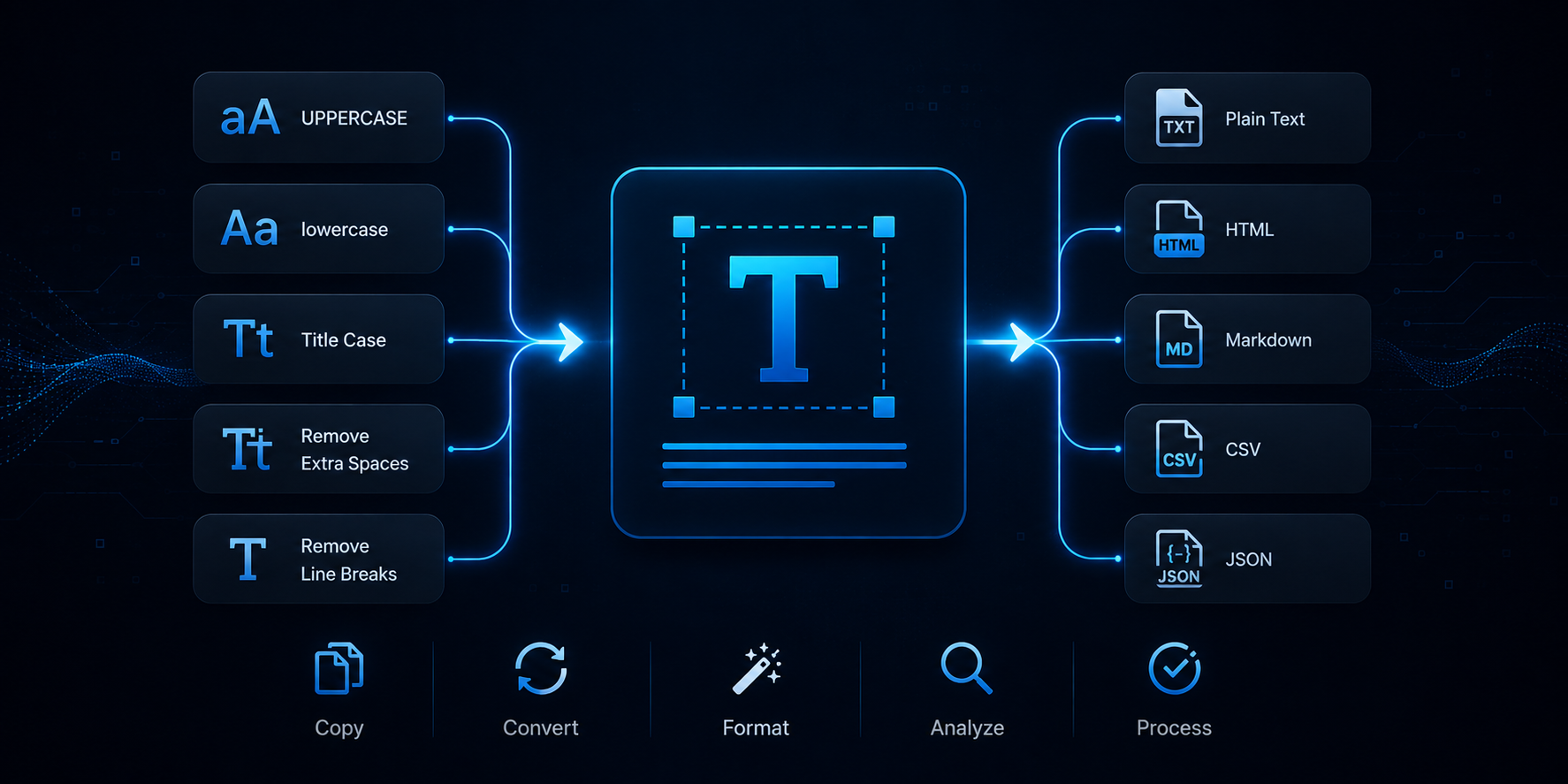
Text conversion tools are online utilities that change text from one format, structure, or style into another. They are useful for writers, developers, students, SEO professionals, marketers, researchers, and anyone who works with digital content.
Depending on the task, an online text tool can change capitalization, remove unwanted formatting, separate or join lines, extract information, compare text, or convert content into another useful format.
1. Case Converter
Changing the capitalization of a large amount of text manually can be tedious. The Case Converter lets you quickly change text into different letter cases without editing every word yourself.
This can be useful when preparing headings, product descriptions, documents, social media content, or large blocks of text.
2. Text Cleaner
Text copied from websites, documents, emails, or other applications can contain unwanted spaces, line breaks, and formatting issues.
The Text Cleaner can help clean and format text so it is easier to reuse. For spacing problems, the Whitespace Normalizer can remove extra spaces, tabs, and empty lines.
3. Text to List Converter
Converting a block of text into a clean list can be frustrating when done manually. The Text to List Converter can transform comma-separated or line-separated text into formatted lists.
This is useful when preparing task lists, bullet points, numbered lists, or structured content.
4. Text Diff Checker
Comparing two versions of a document can take a lot of time, especially when the changes are small. The Text Diff Checker lets you compare two pieces of text and identify differences more quickly.
This can be useful for editing, proofreading, coding, document review, and checking changes between two versions of content.
5. Text Replacer
Replacing the same word or phrase multiple times can be repetitive when done manually. The Text Replacer can find and replace text quickly across a larger block of content.
This is particularly helpful when updating names, phrases, URLs, labels, or other repeated text.
6. Text Line Joiner
Sometimes text needs to be converted from multiple lines into one continuous line. The Text Line Joiner can merge multiple lines of text into a single line using a custom separator such as a comma, semicolon, or space.
This can save time when preparing lists, datasets, keywords, or copied information for another application.
7. Text to Slug Converter
Creating clean URLs manually can take time, especially when you are working with many article titles or pages. The Text to Slug Converter on JustReachUs is designed to convert text into SEO-friendly URL slugs.
This can be particularly useful for bloggers, SEO professionals, developers, and website administrators.
8. Markdown to Text Converter
Markdown formatting is useful for documentation and content creation, but sometimes you need the plain text without Markdown syntax.
The Markdown to Text Converter can strip Markdown formatting and turn the content into clean plain text.
9. Text to ASCII Art Generator
Plain text can also be transformed for creative and technical purposes. JustReachUs includes a Text to ASCII Art Generator that converts ordinary text into stylized ASCII art.
This type of tool can be useful for documentation, code comments, terminal displays, banners, and creative text projects.
Explore the JustReachUs Text Tools collection to find this and other text utilities.
10. Text to Handwriting Converter
Digital content does not always need to look like ordinary typed text. The Text to Handwriting Converter transforms digital text into a handwriting-style presentation.
This can be useful for creative projects, visual notes, educational content, and personal-looking digital documents.
More Useful Text Tools
JustReachUs includes many other text utilities for everyday tasks. You can use the Word Count to count words and characters, the Readability Score Calculator to analyze content readability, and the Keyword Extractor to find important terms and phrases in your text.
For comparing documents, the Text Similarity Checker can compare two pieces of content and identify their similarity and differences.
You can also use the Text Separator, Duplicate Lines Remover, Line Break Remover, and Text Reverser for additional text-processing tasks.
Why Use Online Text Conversion Tools?
Online text tools are convenient because they work directly in your browser. You do not need to install separate software for every small task, and many conversions can be completed in just a few seconds.
These tools can reduce repetitive work, minimize manual mistakes, and make common text-processing tasks easier for both beginners and experienced users.
Who Can Use Text Conversion Tools?
- Writers and bloggers working with large amounts of content
- Developers processing text and website content
- SEO professionals researching and organizing keywords
- Students preparing notes and assignments
- Marketers creating and formatting digital content
- Researchers comparing and organizing documents
Explore More Text Tools on JustReachUs
JustReachUs provides a growing collection of free online tools covering text processing, SEO, development, cybersecurity, data conversion, media, images, and other digital tasks.
Explore the JustReachUs online tools collection to find the right utility for your next task.
Conclusion
Text conversion does not have to be a slow manual process. From changing capitalization and cleaning text to comparing documents, creating URL slugs, and transforming text into creative formats, online utilities can help you complete everyday tasks faster.
Whether you are a writer, developer, marketer, student, or regular internet user, the right text tool can save time and make your workflow more efficient.
Explore JustReachUs and discover more free online text, developer, SEO, and cybersecurity tools.
Contact
Missing something?
Feel free to request missing tools or give some feedback using our contact form.
Contact Us